TL;DR
- Calendly helps CS teams reduce scheduling back-and-forth across onboarding, QBRs, renewals, and customer check-ins.
- Map key customer lifecycle touchpoints before building Calendly event types.
- Use Collective scheduling to coordinate multi-stakeholder meetings without manual calendar checks.
- Automate confirmations, reminders, CRM updates, follow-ups, and surveys directly in Calendly.
- Integrate Calendly with your CRM, calendar, video, and communication tools to keep meetings synced and logged.
- Embed branded booking pages on your website or customer portal so customers can book time on demand.
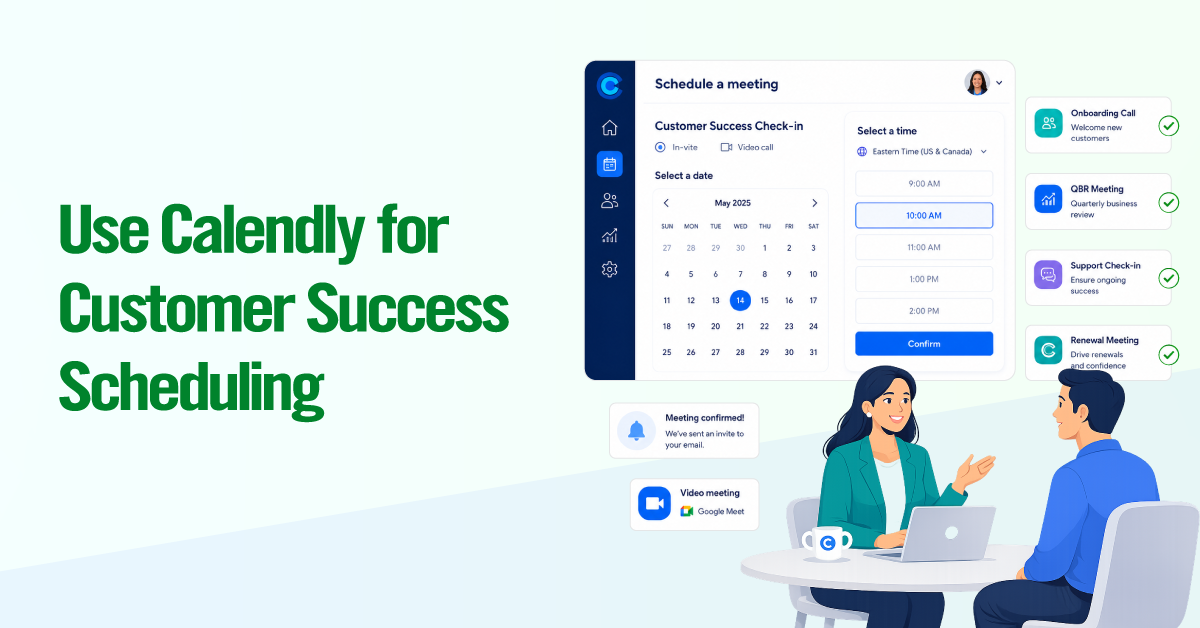
Calendly helps Customer Success teams schedule onboarding calls, QBRs, renewal meetings, escalations, and customer check-ins faster by letting customers book time based on your team’s real-time availability.
For CS teams, scheduling is not just an admin task. It is a hidden drag on retention work. CSMs often lose valuable time coordinating across time zones, chasing email replies, finding mutual availability, and manually updating calendars or CRM records.
According to a 2023 Calendly survey, professionals spend an average of 4.8 hours per week on scheduling-related tasks. Across a CS org managing hundreds of accounts, that can quickly turn into thousands of hours lost each year, which could be spent driving adoption, reducing churn, and uncovering expansion opportunities.
This guide shows you how to use Calendly to schedule in Customer Success. You will learn how to map key customer lifecycle touchpoints, create the right event types, coordinate multi-stakeholder meetings, automate reminders and follow-ups, and connect Calendly with your CRM, calendar, video, and communication tools.

The goal is not to treat Calendly as a generic booking link. It is to build a scheduling system around how your CS team actually works, so every customer meeting is easier to book, track, and act on.
Map Your Customer Success Scheduling Moments
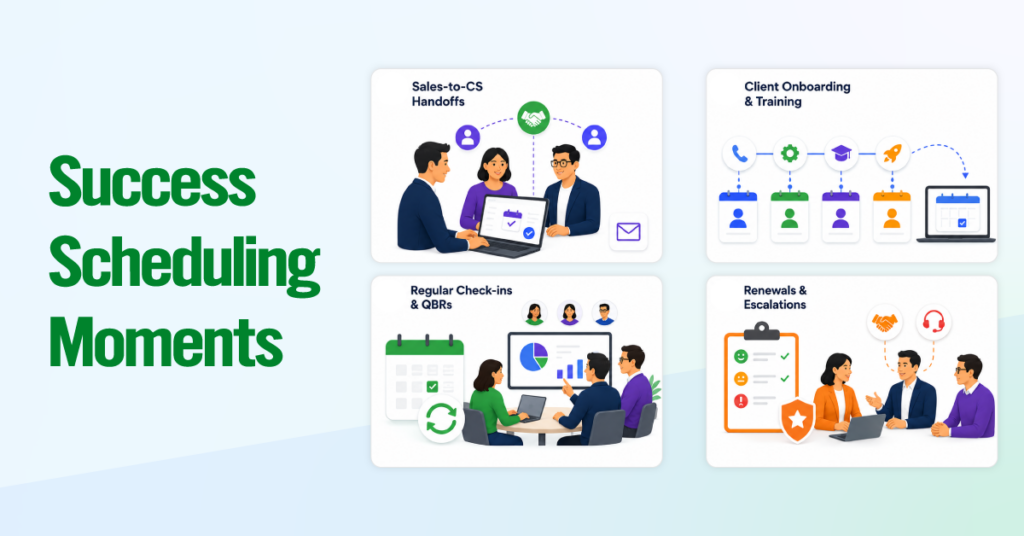
Before you build event types in Calendly, map the key points in the customer lifecycle where meetings need to happen. Most CS teams have four to six recurring scheduling moments, and each one needs its own event type, workflow, and routing logic.
Skipping this step is why many teams end up with one generic booking link that feels messy, inconsistent, and underused.
Sales-to-CS Handoffs
The sales-to-CS handoff is one of the most important scheduling moments in the customer journey. Once a deal closes, the customer should be able to meet their CSM quickly, without waiting through several rounds of emails.
Set up this moment with:
- Book-on-behalf scheduling: Let the AE book the first CS meeting directly on the customer’s behalf.
- Collective scheduling: Include both the AE and assigned CSM so the customer gets a warm introduction.
- Automated welcome workflow: Send a confirmation email with the agenda, key resources, and prep questions.
The goal is simple: reduce the gap between the signed contract and the first CS touchpoint.
Client Onboarding and Training

Onboarding should be treated as a sequence of meetings, not a single kickoff call. Most SaaS onboarding flows include a kickoff, technical setup, product training, and a go-live check-in.
Create separate event types for each stage, such as:
- Kickoff Call: 30 minutes
- Technical Setup Session: 45 minutes
- Product Training: 60 minutes
- Go-Live Check-in: 30 minutes
Use Group events when multiple customer stakeholders need to attend training. Use Round Robin if onboarding is handled by a shared team, or assign meetings directly if the same CSM owns the full onboarding journey.
A useful workflow includes the booking link for the next onboarding session in every post-meeting follow-up email. This keeps the process moving without manual chasing.
Regular Check-ins and QBRs
Check-ins and QBRs keep the customer relationship active and structured. Create separate event types for each cadence rather than using a single general meeting link.
For example:
- Monthly Check-in: Review account health, blockers, progress, and next steps.
- QBR: Review ROI, outcomes, roadmap priorities, and expansion opportunities.
QBRs often need multiple internal stakeholders, such as the CSM, AE, or technical lead, so Collective scheduling works well here.
You can also limit QBR availability to specific windows, such as Tuesday through Thursday between 10 AM and 3 PM. This protects prep time and avoids low-attendance slots, such as Monday mornings or Friday afternoons.
Use Calendly’s scheduling analytics to review which time slots customers prefer and which meeting types have higher no-show rates.
Renewals and Account Escalations
Renewal and escalation meetings are high-stakes, so they should not use the same setup as regular check-ins.
For renewals, create a dedicated event type, such as “Contract Renewal Discussion”. Use a Collective meeting with the CSM, AE, or renewal manager. Add a pre-meeting questionnaire to capture satisfaction, concerns, feature requests, and renewal priorities before the call.
For escalations, create a separate event type such as “Priority Support Call”. Keep the scheduling lead time short so at-risk customers can book quickly when they need help.
These meetings should be routed to the appropriate senior team members, not randomly assigned via Round Robin. Renewals and escalations require context, ownership, and fast response.
Core Calendly Features for CS Teams
4 Calendly features do the heavy lifting for CS operations. The key is configuring each one specifically for customer success workflows rather than using generic defaults.
Standardized Event Types
Create a locked event type for every meeting in your lifecycle map. This prevents the common mess of individual CSMs building their own one-off links with inconsistent durations, questions, and branding.
A typical CS event type library looks like this:
- Sales-to-CS Handoff (Collective, 30 min)
- Onboarding Kickoff (One-on-one, 30 min)
- Training Session (Group, 60 min)
- Monthly Check-in (One-on-one, 30 min)
- Quarterly Business Review (Collective, 60 min)
- Renewal Discussion (Collective, 45 min)
- Account Escalation (One-on-one, 30 min)
- Ad Hoc Support Call (One-on-one, 15 min)
Use Calendly’s admin controls (Teams and Enterprise plans) to lock these templates organization-wide so every CSM’s version is identical. Your scheduling links are an extension of your brand.
Round Robin Scheduling
Use Round Robin for any meeting type where the specific CSM does not matter: onboarding sessions, general support calls, or training sign-ups.
The CS-specific recommendation: start with “optimize for equal distribution” rather than “maximize for availability.” Equal distribution prevents one CSM from absorbing a disproportionate workload while others sit idle. Calendly automatically hides an overloaded CSM’s slots until the count balances out (the threshold is three meetings ahead of a teammate).
One gotcha to plan around: adding or removing a team member from the pool resets the meeting count to zero for everyone. Time roster changes to the start of a week or month.
Collective Meetings
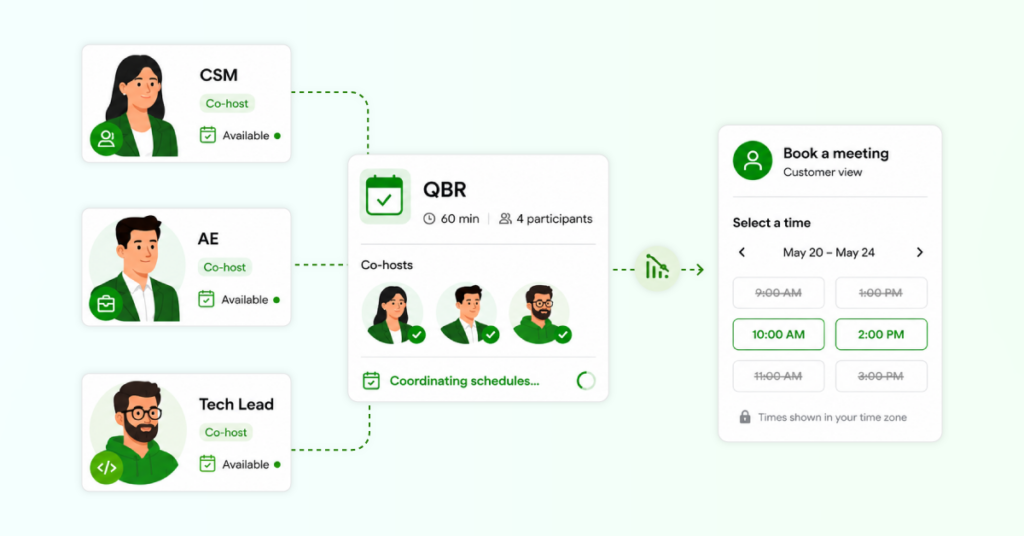
Use Collective events whenever a CS meeting needs cross-functional participation. The three most common CS setups:
- CSM + AE for handoffs and renewal calls
- CSM + Technical Lead for implementation reviews and escalations
- CSM + AE + Product Specialist for QBRs with roadmap discussions
The practical tradeoff: every host you add shrinks the available time slots your customer sees. With three or more hosts, availability gets tight fast. Ensure all Collective hosts keep calendars current, and offer wider availability windows for these event types. Available on Standard plan and above.
Routing Forms
Routing Forms replace the chaos of sharing multiple booking links. You share a single URL, the customer answers two to three questions, and Calendly automatically routes them to the appropriate event type and person.
For CS, structure your form around three questions:
- “What do you need help with?” (Onboarding, Training, Account Review, Billing/Renewal, Technical Support)
- “What is your company name?” (Matches to their assigned CSM via CRM lookup on Enterprise plans)
- “How urgent is this?” (Routine, Time-Sensitive, Urgent)
The routing logic does the rest. A “Technical Support + Urgent” selection goes to the escalation event with same-day availability. An “Onboarding + Routine” selection goes to the Round Robin pool. Enterprise plans add CRM-based routing, where Calendly looks up the customer’s assigned CSM in Salesforce and sends them directly, no manual effort needed.
Embed this form on your customer portal so clients can self-serve bookings whenever they need to connect.
Optimizing the Customer Booking Experience

A smooth booking experience reinforces trust. A clunky one creates friction at the exact moments when your customer relationship is most vulnerable. These three configuration areas make the biggest difference.
Setting Up Smart Availability
Do not use the default “show all available time” approach. It fragments your CSMs’ calendars and kills focus time. Instead:
- Block focus time. Every CSM should block two to three hours daily as “busy.” Calendly respects these blocks automatically.
- Segment by meeting type. Use per-event-type availability to restrict onboarding calls to mornings, QBRs to midday, and ad hoc support to late afternoon.
- Minimum scheduling notice: 24 hours for standard meetings, two hours or less for escalations.
If your team supports global customers, verify your availability windows cover the working hours of your primary customer regions. Calendly handles time zone display automatically.
Utilizing Meeting Limits and Buffers (Preventing CSM Burnout)
Without limits, a fully booked CSM can end up with eight consecutive calls and zero time to document, prep, or breathe. Set these for every event type:
- 15-minute buffers before and after every meeting for account prep and note-taking.
- Daily meeting cap of six to eight external calls. This leaves room for internal syncs and proactive outreach.
- 25-minute or 50-minute durations instead of 30 or 60. This builds in natural breathing room.
Apply tighter limits to high-intensity types (escalations, QBRs) and more relaxed limits to lighter ones (quick check-ins). If Calendly’s analytics show a CSM consistently hitting their cap, that is a signal to rebalance their book of business rather than raise the limit.
Embedding on Your Website or Customer Portal
Embed your Routing Form (not a single event type) into your customer portal’s main navigation or support section. This lets any customer self-triage and book the right meeting in under 60 seconds. Calendly supports inline embeds, pop-up text links, and floating widget buttons depending on your portal layout.
If you use a CS platform like Gainsight or Vitally, embed Calendly links within automated playbook emails and health score-triggered outreach to close the loop between your platform’s intelligence and your scheduling execution.
Automating the CS Workflow
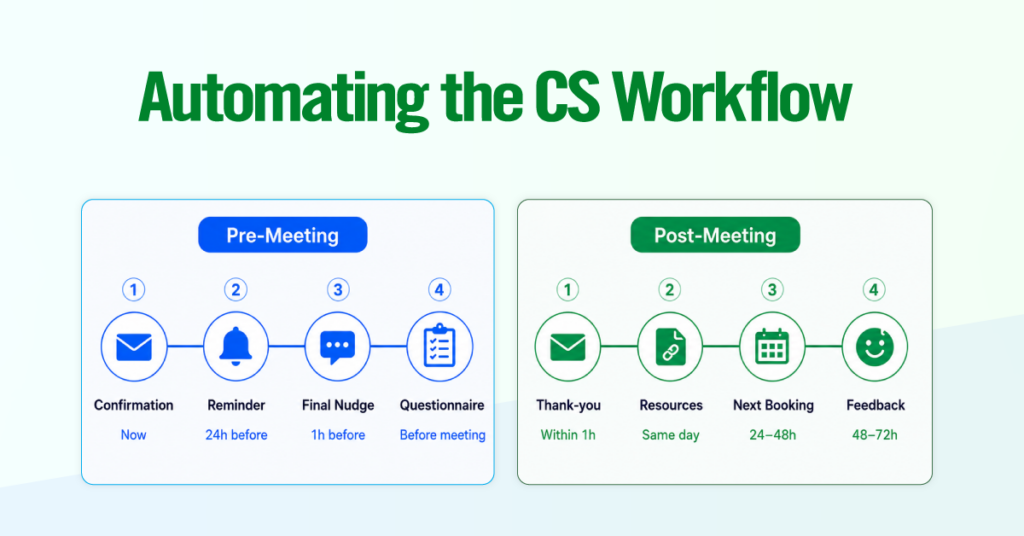
Calendly Workflows automate the communications surrounding every meeting. This is where you eliminate the manual follow-up tax that drains CS productivity.
Pre-Meeting Workflows (Automated Reminders, Prep Questionnaires)
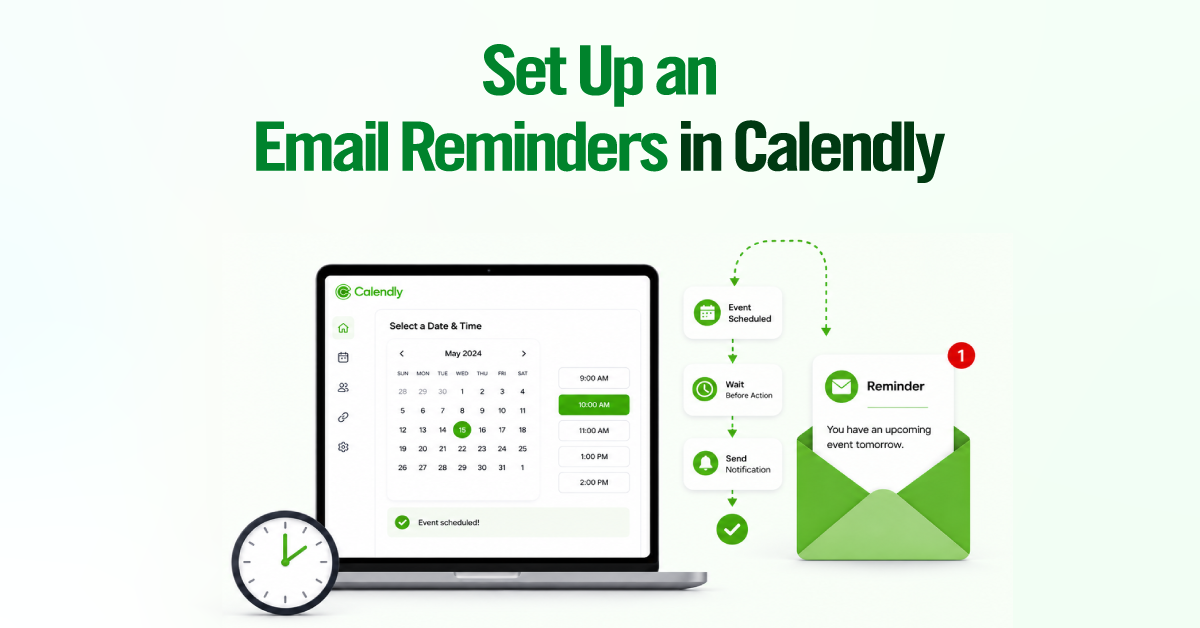
Automated reminders cut no-show rates significantly. Typical B2B no-show rates hover around 20%, and consistent reminder sequences bring that down fast. Set up this sequence per event type:
- Confirmation email (immediately): Meeting details, agenda, and prep instructions. For onboarding, attach a welcome doc or setup checklist.
- Reminder (24 hours before): Video link, pre-meeting tasks, and a brief agenda recap.
- Final nudge (1 hour before, email or SMS): SMS is especially effective but requires customer opt-in.
- Pre-meeting questionnaire (with confirmation or 48 hours before): For QBRs, ask about top priorities and concerns. For support calls, ask them to describe the issue. This turns every meeting from a cold start into a prepared conversation.
Each event type gets its own workflow content, so onboarding emails look completely different from QBR reminders.
Post-Meeting Workflows (Thank-You Emails, Follow-Up Resource Links)
Post-meeting follow-up is the first thing to slip when CSMs are busy. Automate it:
- Thank-you email (within one hour): key takeaways, next steps, and any agreed-upon action items.
- Resource link (same day): Relevant help articles, training videos, or docs discussed on the call.
- Next meeting booking prompt (24 to 48 hours after): A Calendly link for the next session in the sequence. After a kickoff, link to the technical setup session. After a QBR, link to the action item follow-up.
- Feedback survey (48 to 72 hours after): A brief one-to-three-question survey via Typeform or Google Forms.
The compounding effect is significant. Every meeting generates structured pre-work, timely reminders, and proactive follow-up without the CSM having to send a single email.
Essential Integrations for Customer Success

The right integrations ensure scheduling data flows into your CRM, meetings land on the right video platform, and your team stays informed in real time.
CRM
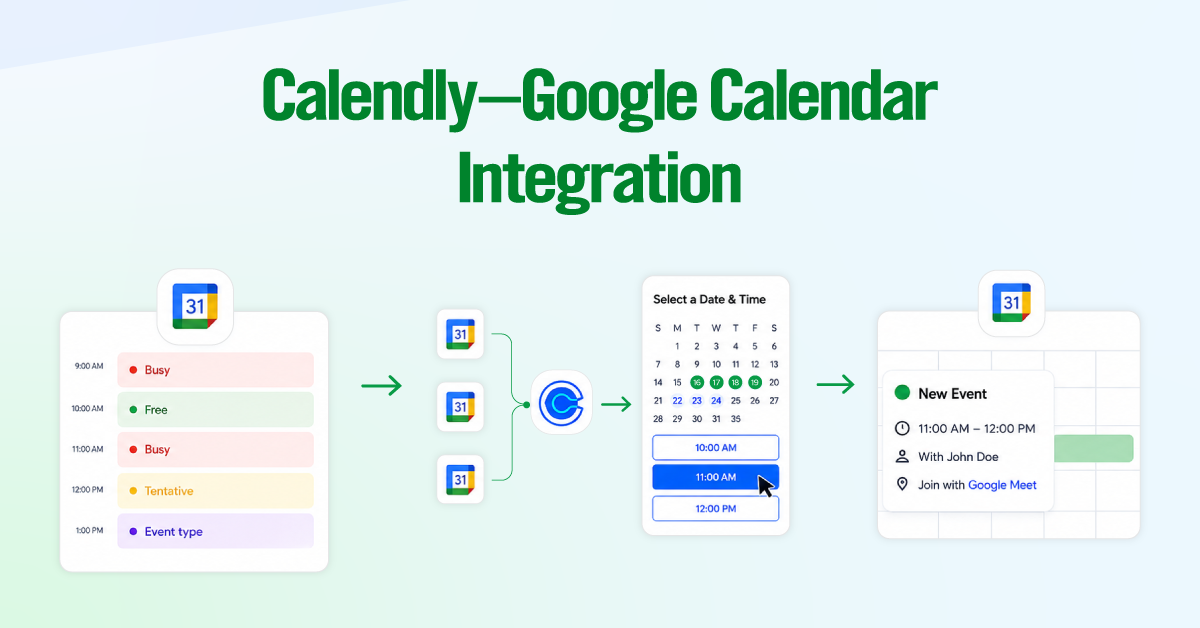
Automated meeting logging is one of the most valuable CRM integration capabilities for customer success teams. Instead of manually recording every customer interaction, meeting details are automatically synced to your CRM, ensuring a complete, up-to-date engagement history.
With CRM integrations such as Salesforce and HubSpot, scheduled meetings can automatically create or update contact records, log meeting activities, support ownership-based routing, trigger follow-up workflows, and provide reporting on metrics such as scheduling volume, no-show rates, and time-to-first meeting. This helps customer success teams reduce administrative work while maintaining accurate customer data and actionable insights.
Video Conferencing
Calendly generates a unique meeting link for every booking once you connect your video platform. The CS-specific considerations: standardize on a single platform across your team to avoid customer confusion, and enable automatic recording of QBRs and onboarding sessions (with proper customer notification and consent). If enterprise customers have strong platform preferences, use a Routing Form question to let them choose their preferred platform.
Communication & Support
Calendly integrates with the tools your team already uses to create a more automated scheduling workflow. Whether you’re managing customer support, coordinating internally, or engaging prospects, integrations with platforms like Slack, Zendesk, and Intercom keep scheduling embedded within your existing processes.
These integrations require a one-time setup through Calendly’s Integrations page or Zapier, enabling a connected, automated scheduling workflow across your tech stack.
Final Thoughts
Calendly is not a magic bullet for customer success. It is a scheduling infrastructure tool, and like any infrastructure, its value depends entirely on how thoughtfully you design and maintain it. The CS teams that get the most from Calendly are the ones who treat scheduling as a system rather than a series of individual booking links.
Start with the lifecycle map. Build event types that match each moment. Configure routing so customers always land in the right place. Set limits and buffers so your team stays sustainable. Automate the surrounding communications so nothing falls through the cracks. Connect your CRM, video platform, and support tools so data flows cleanly. Then review the whole system quarterly, using Calendly’s scheduling analytics to spot bottlenecks, uneven distribution, and no-show patterns.
The result is a customer experience that feels seamless and personal, even as your CS team scales. Customers book the right meeting, with the right person, at the right time, every time. And your CSMs spend their energy on the work that actually drives retention: having great conversations, solving real problems, and proving the value of your product.