

TL;DR
- Keep booking windows short to maintain intent and reduce no-show risk.
- Send 24-hour and 1-hour reminders with key meeting details included.
- Require reconfirmation for high-value calls to gauge attendee commitment.
- Include the agenda in reminders so the meeting feels relevant and planned.
- Make rescheduling links highly visible to prevent silent no-shows.
In practice, reducing no-shows with Calendly comes down to three things: reminding invitees at the right moments, removing confusion before the meeting, and clearly showing them what to expect next.
Most no-show issues are workflow problems. The no-show rate is determined by everything that happens between the booking confirmation and the start of the meeting.
Why do people no-show on Calendly meetings?
After auditing and rebuilding Calendly setups for sales teams, consultants, recruiters, and onboarding specialists, we found that people no-show on Calendly meetings when the setup does not create enough clarity, urgency, or commitment. In this blog, we will cover four common causes.

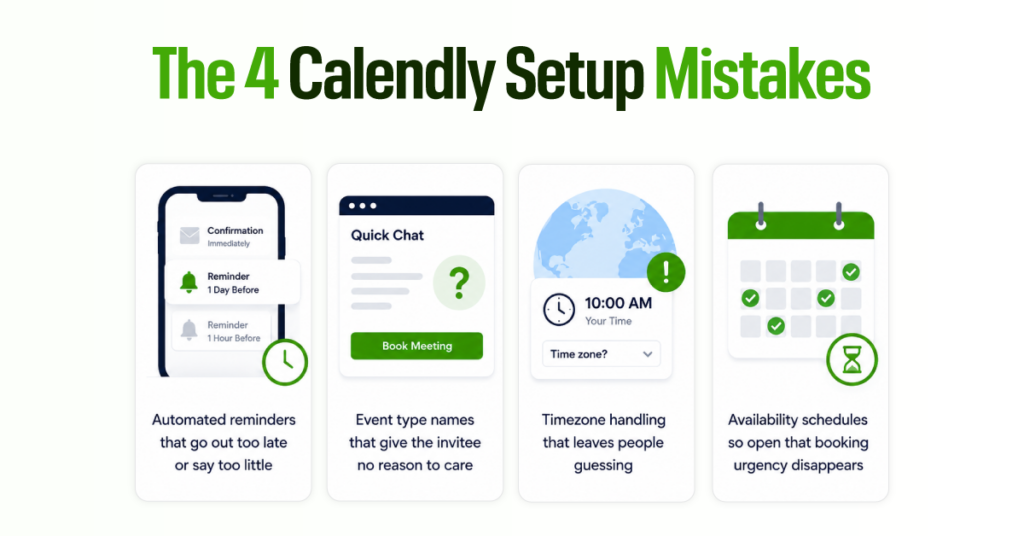
1. Poor or missing reminders: Calendar invites confirm the meeting, but they do not explain why people should attend.
2. Vague meeting context: Generic event names like “Intro Call” make the meeting easy to forget or deprioritize.
3. Time zone and joining confusion: If the time zone or joining link is unclear, invitees may miss the meeting.
4. Low-intent scheduling: Wide availability windows and no reconfirmation step allow weak-fit bookings to become wasted slots.
What is the Most Effective System for Reducing No-shows in Calendly?
Calendly’s no-show reduction is not about adding one extra reminder. It is about designing a booking experience from the scheduling page through to the meeting itself that keeps the invitee interested, informed, and able to act.
The setup that consistently works has 5 layers:
- Urgency: a tight availability window that keeps meetings close to the moment of interest
- Commitment: a Calendly confirmation flow that reinforces the value of the meeting immediately after booking
- Reminders: Calendly Workflows timed to both preparation and attendance, not just one or the other
- Engagement: an agenda embedded in the reminder that gives the invitee a genuine reason to show up prepared
- Friction reduction: a visible rescheduling link so serious people stay in the process when their schedule shifts, rather than disappearing
When these five layers work together, the no-show rate drops. The meetings that do happen are better prepared, and teams stop losing revenue to avoid missed bookings.
Step 1: Limit Your Booking Window to Keep Interest High
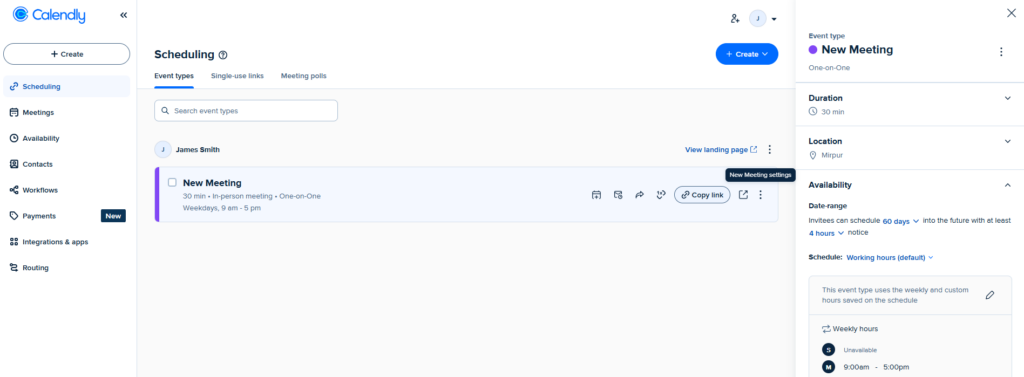
A wide availability schedule increases no-shows because urgency drops as the gap between booking and meeting grows.
- Keep outbound lead availability to five days or fewer. The meeting should happen while the conversation is still fresh.
- For inbound leads, use a two- to three-day window to capture the momentum they have already shown by reaching out.
- To adjust this in Calendly, go to: Event type → Availability → Date range → set your preferred limit.
This is a quick settings change that can reduce missed bookings without adding a new workflow or writing more reminder copy.
Step 2: Set up Calendly reminders properly to improve attendance.
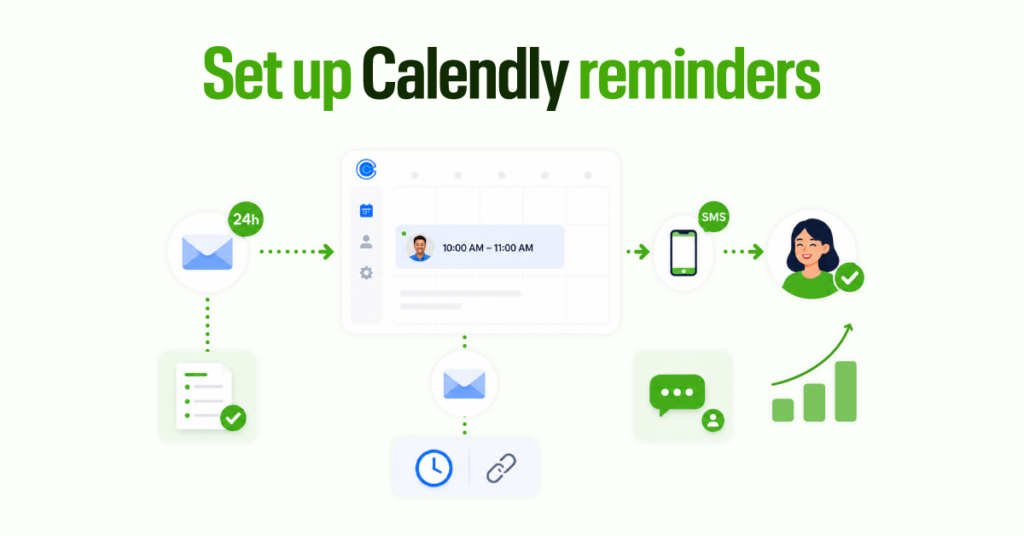
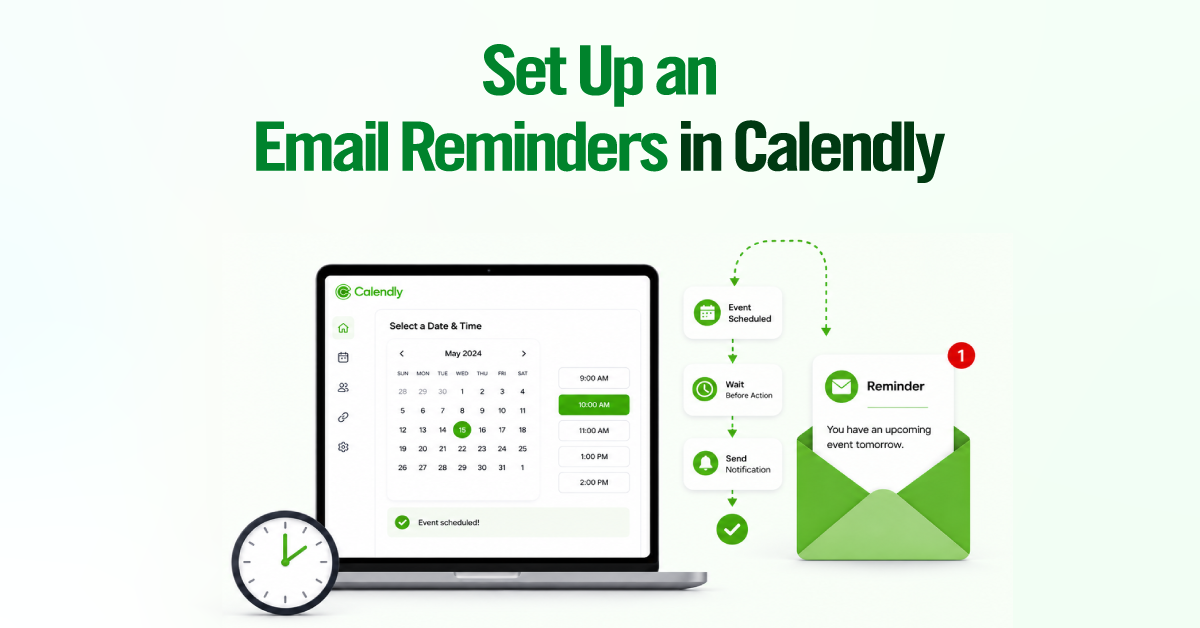
Calendly reminder settings are the most direct lever you have for reducing no-shows after a booking is made. The default confirmation email is not enough. A reliable Calendly reminder setup uses at least two timed touchpoints before the meeting, and for high-value calls, a third via SMS notification.
The 24-hour reminder is about preparation. This Calendly reminder email should include the meeting goal, a two- to three-point agenda, any prep instructions, and the rescheduling link. It gets the invitee thinking about the meeting the day before, which is entirely different from a calendar notification that fires and gets dismissed in two seconds.
The one-hour reminder is about attendance. Keep this one short. Meeting time, joining link, and one sentence on what to expect. Calendly reminder notifications at this interval are read right before the meeting, so there is no point in repeating the full agenda.
Calendly SMS reminders, when appropriate, outperform email for last-minute visibility. Texts are read within minutes of delivery in a way that email simply is not.
We use Calendly SMS reminders for sales demos, paid consultations, recruiting calls, and any booking where a missed appointment creates a direct cost. Keep the SMS short: time, link, one line of context. It should complement the reminder email, not repeat it.
Step 3: Use Multi-Channel Reminder System (Not Just Emails)
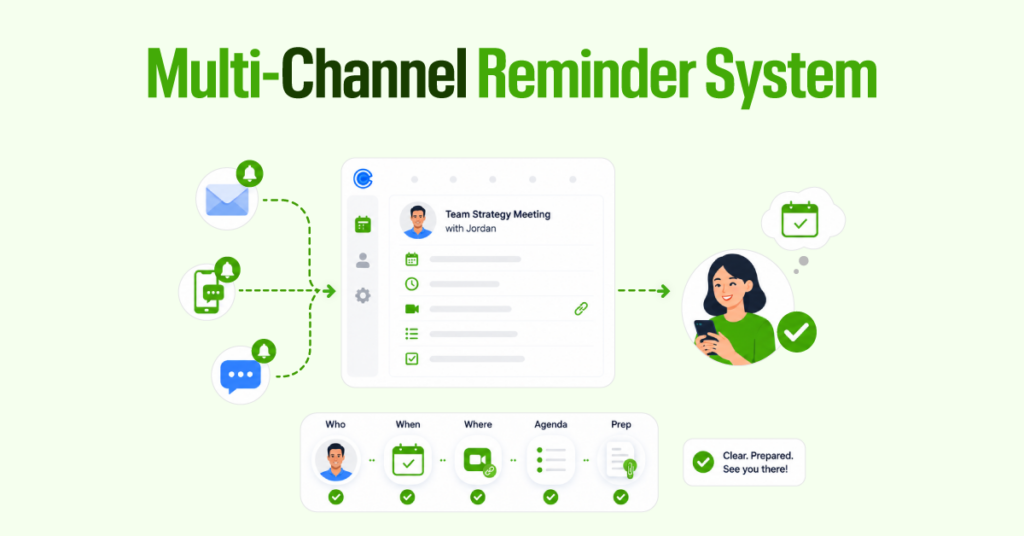
A strong reminder removes doubt fast. It answers five things: who the meeting is with, when it happens, where to join, what will be covered, and what the invitee should bring or prepare.
A preparation instruction makes a real difference here. “Before the call, think through one example of where leads usually drop off in your current scheduling process” does more work than a generic agenda line. It makes the meeting feel specific, useful, and worth protecting on the calendar.
Step 4: Send a Reconfirmation Request Before the Meeting
A reconfirmation step is structurally different from a reminder. A reconfirmation step is different from a reminder. A reminder is passive. A reconfirmation asks the invitee to take action, which helps you identify who is likely to attend.
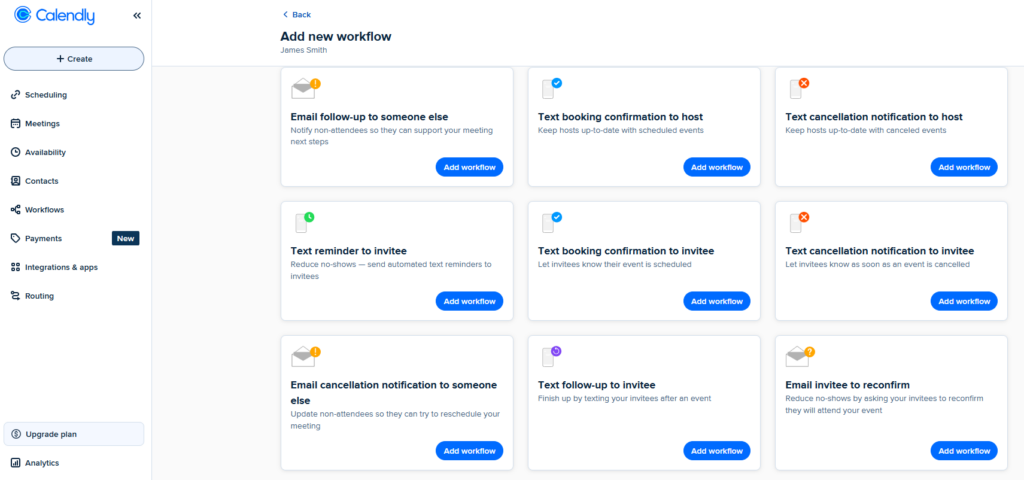
Use it for meetings where a no-show has real cost, such as sales calls, interviews, onboarding calls, paid consultations, or implementation meetings.
Set it up in Calendly: Workflows → Find Email invitee to reconfirm → Add to workflow.
Anyone who has not confirmed one hour before the meeting should be treated as at risk. Send a short personal message or offer to reschedule before the slot is missed.
Step 5: Send an Agenda to Increase Attendee Investment
Sending an agenda before a meeting can improve attendance. Add it directly to the 24-hour Calendly reminder instead of sending a separate email. Keep the agenda short: 2-3 discussion points, a rough time for each, and one question for the invitee to consider before the call.
This shows the meeting has structure, value, and a clear reason to attend.
Step 6: Remove Friction That Causes Silent No-Shows
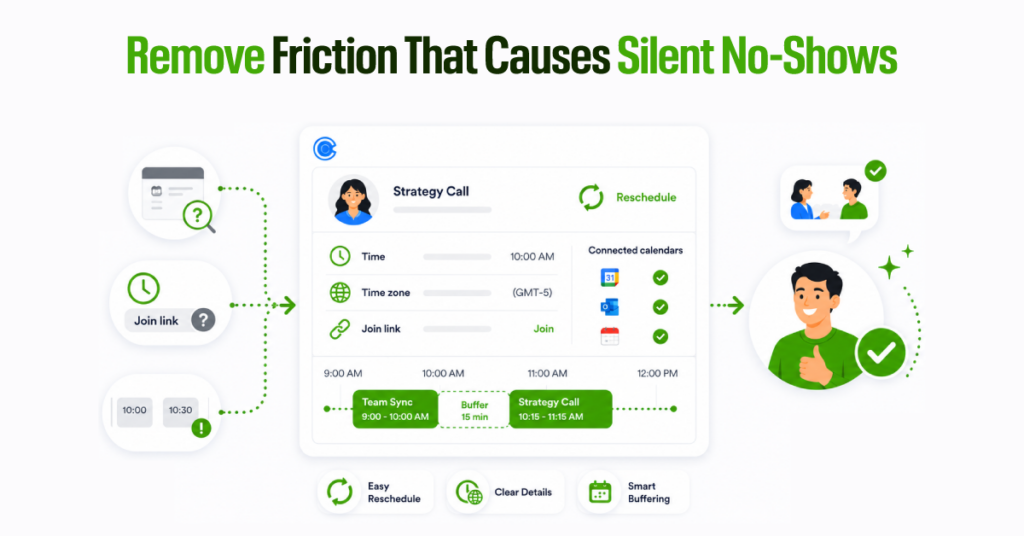
Silent no-shows happen when invitees miss the meeting without responding. Fix this in your Calendly setup by making the next step obvious.
Add the rescheduling link to the confirmation email, both reminders, and SMS messages so invitees can quickly reschedule the meeting instead of it disappearing.
Spell out the meeting time, time zone, and joining link in every confirmation and reminder.
For teams, connect all relevant calendars to prevent double-booking, and add buffer time between meetings so delays do not turn into late joins or missed calls.
Which Calendly features help reduce no-shows?
Calendly has several built-in tools for no-show prevention, but each one solves a different part of the problem. Here is how they fit together and when each one earns its place in the workflow:
| Feature | Problem it solves | Best for | Skip it when |
| Booking date range | Far-out, low-intent scheduling | All meeting types | Long-cycle bookings where advance scheduling is expected |
| Email reminder workflow | Forgetfulness, missing context | All meeting types | Very casual internal meetings |
| SMS reminder workflow | Last-minute no-shows | High-value, time-sensitive meetings | Low-stakes bookings where SMS feels intrusive |
| Booking page redirect | Low engagement post-booking | Sales, onboarding, consultations | Simple internal scheduling |
| Reconfirmation workflow | Weak or uncertain commitment | Sales calls, interviews, paid sessions | Discovery calls early in the funnel |
| No-show workflow trigger | Recovering missed meetings | All revenue-generating meeting types | Meetings with no rebooking path |
| Advance payment deposit | Zero-commitment bookings | Paid consultations, coaching, workshops | Early-stage sales discovery |
What does the booking date range setting do?
Controls how far into the future someone can book on your scheduling page. This setting directly manages the meeting urgency window — the narrower it is, the more likely the invitee’s interest and intent are still active by the time the meeting arrives. Keep outbound leads to five days or fewer. Keep inbound leads for two to three days.
How do Calendly email reminder workflows reduce no-shows?
Calendly reminder emails sent through Workflows run automatically on whatever schedule you set, removing the need for manual follow-up between booking and call.
Set at minimum a 24-hour Calendly reminder email focused on the agenda and context, and a same-day reminder focused purely on attendance and the join link.
When should you use Calendly SMS reminders?
A Calendly SMS reminder gets seen faster and more reliably than email in the final hours before a call. Texts are typically read within minutes.
Use Calendly SMS notifications for meetings where a no-show has a direct revenue or productivity cost: demos, paid consultations, interviews, and onboarding sessions. Keep the message short. The SMS should not repeat the email; it should just confirm the time and link at the moment the invitee is most likely to be thinking about their day.
What is the booking page redirect, and why does it matter for attendance?
Calendly can automatically send the invitee to a custom URL immediately after they complete a booking on the booking page. The 60 seconds after a booking is confirmed is the highest-engagement point in the entire scheduling journey. Most teams leave it completely unused.
Use it to reinforce why the meeting is worth attending, share a short preparation resource, or set clear expectations for what will be covered. A purposeful redirect does what no reminder email can: it happens before any intention to no-show has formed.
How does a Calendly reconfirmation workflow work?
Sends an automated message asking the invitee to confirm they still plan to attend, typically 24 to 48 hours before the meeting. Anyone who has not confirmed by one hour before the start should be treated as at-risk and handled with a short personal message with a rescheduling link, which is far better than an empty room.
What happens when you trigger the Calendly no-show workflow?
Marking an invitee as a no-show in Calendly triggers a separate workflow path. Instead of the standard post-meeting follow-up, it fires a recovery sequence. Not every no-show is a permanently lost lead. A short, non-accusatory rebooking message sent within 30 minutes of the missed meeting recovers a meaningful portion of them. Make the rescheduling link the centerpiece of that message. The goal is a second booking opportunity, not a complaint.
When should you use Calendly’s advance payment deposit to prevent no-shows?
Requiring payment through Stripe or PayPal before a booking is confirmed changes the psychology of the appointment entirely. A financial stake makes canceling feel costly in a way that a free booking never does, which is why paid appointments have materially lower no-show rates. Use it when your time is the product being sold and a missed slot cannot be recovered — coaching, advisory, paid consultations. Do not use it for early-stage discovery calls. That friction will reduce bookings, not protect them.
10 Common Mistakes That Increase No-Shows
Most of these come up repeatedly in Calendly reminder setup reviews. They are not hard to fix. They are just easy to overlook when a team focuses on the sales process rather than the scheduling system.
- Leaving the booking window too wide, which reduces urgency before the meeting.
- Relying solely on the default calendar invite rather than reinforcing the value of attending.
- Sending only one reminder makes the meeting easier to miss or forget.
- Skipping SMS reminders for high-value demos, paid calls, or interviews.
- Using vague event names that do not communicate the value of the meeting.
- Leaving out the agenda, which makes the meeting easier to deprioritize.
- Hiding the rescheduling link instead of making it easy to find.
- Ignoring time zone clarity for remote or international invitees.
- Not asking for reconfirmation on high-value calls.
- Allowing back-to-back scheduling without buffer time.
Final Thoughts
No-shows are rarely solved by sending one more generic reminder. In most cases, they happen because the meeting did not feel important enough, the details were unclear, or rescheduling required too much effort.
A stronger Calendly setup prevents those problems from turning into missed appointments.
- Use clear event type names,
- Send reminders at the right times,
- Add SMS for high-value calls,
- Make rescheduling easy,
- Spell out time zones and joining details, and
- Protect your calendar with connected calendars and buffer time.
The goal is not just to remind people that a meeting exists. The goal is to make the meeting easy to remember, prepare for, join, and reschedule when needed.
When Calendly is set up this way, attendance improves because invitees know exactly what the meeting is for, where to go, and why showing up is worth their time.